Browser Forecasting Needs a Complete Model Contract
A browser-ready TSFM requires more than an ONNX file: the full forecast graph, faithful preprocessing, numerical parity, and an explicit device contract.
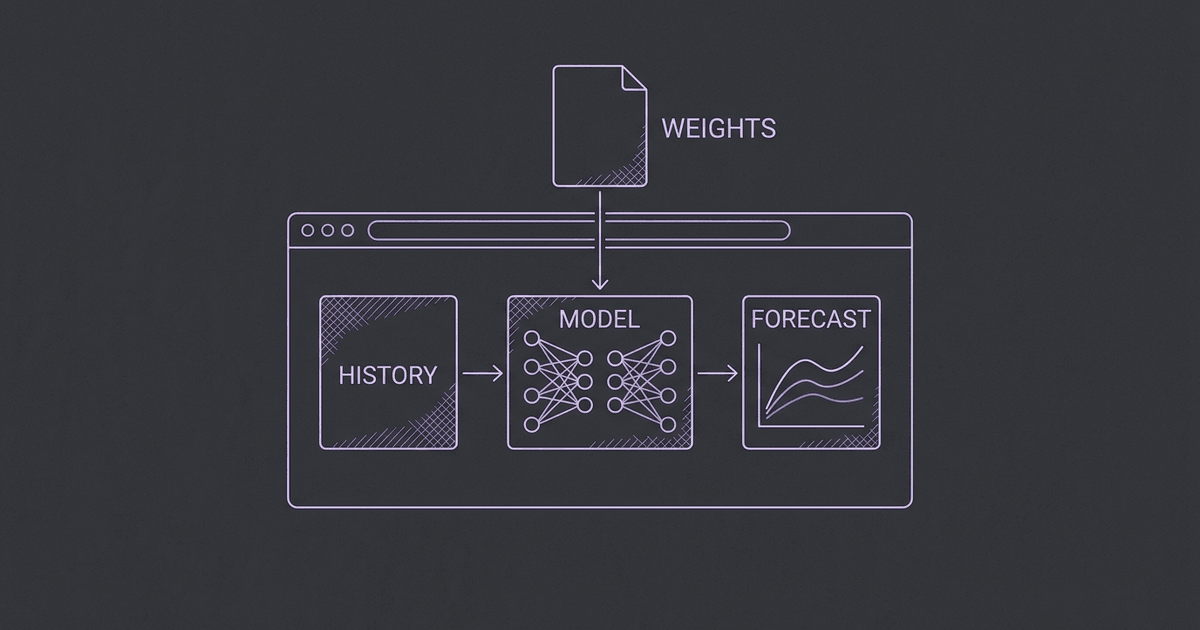
A time-series model can be available on Hugging Face, exported to ONNX, and described as browser-compatible without providing a usable forecast in a browser. Those are separate claims. The distinction matters when a directory offers an execution button: the user expects the selected checkpoint's forecast, not an embedding, a different model, or a statistical fallback with the same label.
Our earlier local hosting guide explained why TSFM families need different adapters. Browser execution sharpens that problem. The application must reproduce the complete forecasting contract inside a constrained device runtime. A shared file format does not standardize history normalization, missing-value handling, patch layout, prediction heads, or quantile decoding.
#Runtime support does not establish model support
ONNX Runtime Web supplies browser execution through WASM and other execution providers. That establishes a runtime path for compatible graphs. It does not prove that a particular checkpoint was exported completely or that its outputs preserve the original forecasting semantics.
The practical sequence is therefore model first, export second, runtime third. Identify the original implementation and revision. Determine what its prediction function actually does. Inspect the exported graph's inputs and outputs. Only then test the intended browser runtime. A successful desktop session is useful evidence, but it does not establish the bundled worker's behavior in the application.
This also prevents a common category mistake. The Chronos-Bolt overview explains one concrete evolution within a model family. A model family may support multivariate forecasting while a particular export accepts one numerical vector. A model may support covariates through a Python wrapper that was never included in the graph. The execution option needs its own capability record alongside the research model page.
#An encoder is not a forecaster
Some exports are designed for representations. The light-curve Chronos-Bolt Tiny model card explicitly describes an encoder-only artifact for embeddings. That is a legitimate and useful artifact for its intended task. It is not the complete Chronos-Bolt forecasting model.
A browser application cannot turn those embeddings into the original forecast simply by choosing the last tensor or fitting a trend afterward. The decoder, output head, and inverse transformation are part of the model contract. Replacing them changes the computation, even if the resulting line looks plausible on a demonstration series.
The same identity rule applies to proxies. Running PatchTST under a Moirai label would compare a different model. A fallback can be useful if it is presented as a separate baseline, but it must never appear as successful execution of the requested checkpoint. Our browser playground has no such fallback: unsupported graphs and failed runs return explicit errors.
#Export problems are numerical problems
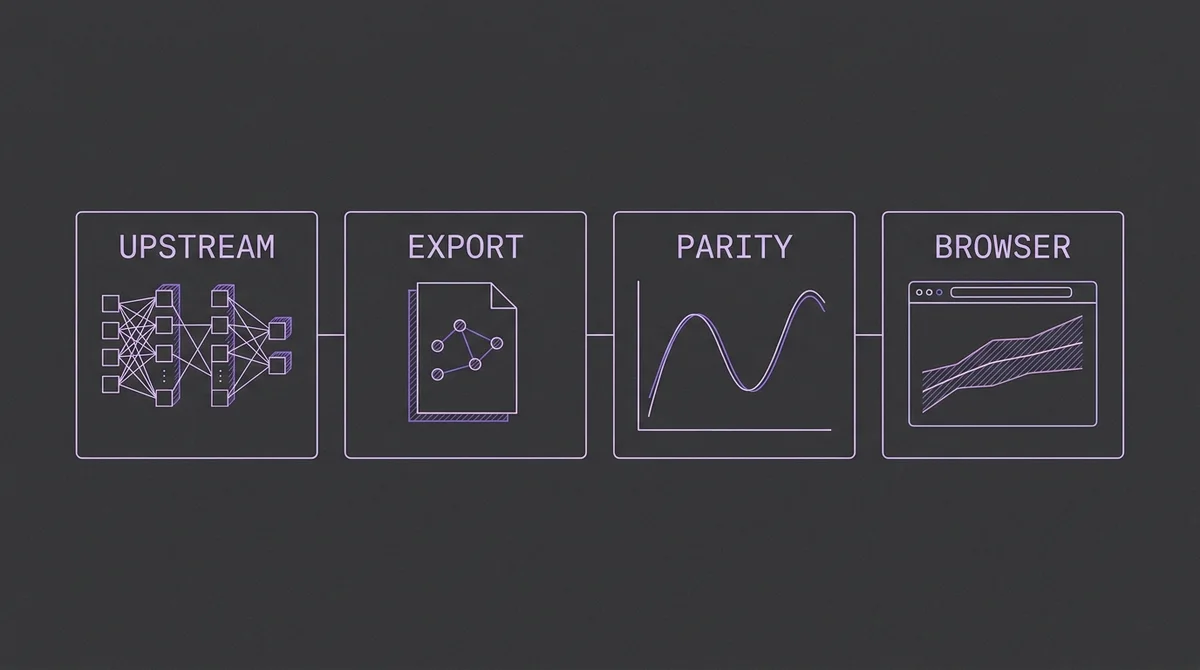
Identify the upstream model, export the full forecast graph, compare predictions, and verify the browser runtime.
The original Chronos implementation is the reference for the Tiny graph we validated. We pinned amazon/chronos-bolt-tiny to revision a0e552de83495b5c28c14c71c374f3e33280b340. The reference output was computed with the untouched upstream model before export adjustments.
Three compatibility problems required attention. The legacy export path did not support nanmean directly. Its patch export produced an incorrect layout for the intended nonoverlapping windows. Embedding lookup indices also needed the integer type required by ONNX. Each problem had to be resolved without changing the intended computation.
For normalization, masked sums and counts reproduce the observed-value mean and variance, including missing observations. For fixed, nonoverlapping patches, an explicit reshape preserves observation order and patch width. Integer indices preserve the lookup identities. These changes make the graph expressible; they do not justify assuming that the graph is correct.
The check is numerical comparison with the untouched reference. A successful export command or a graph that loads only proves a narrower property. Forecast values still need to agree on inputs that exercise scaling, patch boundaries, and missingness. The tokenization comparison provides useful background on why representation choices cannot be treated as interchangeable.
#What we actually tested
The complete FP32 graph contains 34,801,999 bytes of model data. Its input is a single float32 tensor with shape [1,512]. Its output is [1,9,64]: one series, nine quantiles, and 64 future steps. The outputs are already in the original series scale.
We compared seven cases against upstream PyTorch: a trend with seasonality, a constant series, zeros, negative-valued observations, random values, a short history padded with missing observations, and an intermittently missing history. CPU ONNX outputs were finite, with maximum absolute difference about 0.000031 across these cases.
We then ran the same cases in real Chrome using ONNX Runtime Web 1.23.2 and single-thread WASM. All outputs were finite. The largest absolute difference from the reference was about 0.000046. The published browser artifact includes the export source, contract, upstream attribution, and reference cases.
| Check | Evidence | Remaining limit |
|---|---|---|
| Complete forecast graph | Encoder, decoder, and quantile output are included | One checkpoint and fixed input shape |
| Upstream numerical agreement | Seven CPU and Chrome WASM reference cases | Not a comprehensive accuracy benchmark |
| Missing-value handling | Short and intermittently missing histories agree with reference | Entirely missing inputs are rejected |
| Application integration | Built playground generated a 30-step forecast from 365 observations | Not proof of every device or browser configuration |
| Backend boundary | No request to the former TSFM API during that integrated run | Network is still needed for initial assets |
These tests establish implementation agreement within their coverage. They do not demonstrate that Tiny is the best model for a business task. That is a separate evaluation question, addressed by realistic backtests and the benchmark directory.
#Median and mean must remain distinct
The graph emits quantiles from 0.1 through 0.9. The playground displays P10, P50, and P90. P50 is the median, not the expected mean. A chart or exported column that calls it a mean changes the interpretation of the result even when every tensor value is correct.
For a skewed predictive distribution, mean and median can differ materially. Expected-cost calculations, aggregation, and tail-risk decisions may require different quantities. An export adapter should name what the graph returns rather than force it into an older API field whose meaning does not match.
The horizon boundary also matters. We expose up to 64 forecast steps and can truncate that output. We do not claim that the artifact supplies an arbitrarily long autoregressive forecast. A family-level Python implementation may support another path, but that capability has not been validated for this browser graph.
#A download is part of the experience
Warm numerical inference is only one part of a browser run. The first visit requires downloading weights, loading the runtime, allocating graph state, and preparing input tensors. Memory use exceeds the weight-file size. A smaller numerical checkpoint can still feel slow if the application hides those phases behind an unexplained spinner.
The worker therefore reports download, load, and forecast phases. Download progress includes bytes received and transfer rate. The application verifies an immutable graph's checksum before execution and caches verified weights locally. The user can remove that cache, which means the next run needs another download.
Cancellation terminates the worker. It is not merely a visual reset while computation continues elsewhere. A canceled run should not later publish a forecast into a new session. Downloads, loading failures, incompatible devices, and invalid outputs remain explicit errors. A backend fallback would alter both the operating cost and the data boundary, so it is absent from this execution option.
The ForecastOps article discusses a related operating principle: a forecasting system needs evidence about what happened around inference, not just a final array of values. Browser progress and clear provenance make that principle visible to the person running the model.
#Local computation needs a clear privacy boundary
Forecast input values stay inside the browser's model worker. The application still makes network requests for the page, runtime, and Hugging Face weights. Those requests are different from transmitting the user's history for remote inference, and the interface should explain that distinction accurately.
Local inference alone is insufficient if session replay or DOM autocapture collects the chart or data table afterward. TSFM disables those features. Aggregate events about the run can still report model identity, observation count, horizon, and timing without containing the underlying numerical series.
This boundary is also why external provider execution is a separate option in the directory. A user choosing an external endpoint should inspect that provider's data handling, credentials, contract, and pricing. A browser execution action should not quietly move the same request to a server when the device encounters an error.
#The directory needs two capability layers
The model layer describes the upstream checkpoint and its research. The execution layer describes the artifact and runtime the user can actually select. Both are necessary. Combining them into one label makes it easy to imply that a validated Tiny browser export supports everything the broader Chronos family can do.
For the current browser option, the useful record is concrete: Chronos-Bolt Tiny, pinned source revision, complete forecast graph, 34.8 MB download, 512 history points, up to 64 future steps, one target, and displayed P10/P50/P90 outputs. Unsupported capabilities remain unsupported, and other models retain information and external execution links.
The next browser checkpoint should pass the same process, with its own contract and reference evidence. That may require a different adapter, output decoder, or memory strategy. The goal is to make genuine model execution available where it works while keeping the directory's model identities accurate everywhere else.