TabPFN-3.5: What the Release Changes for Time-Series Forecasting
Prior Labs releases TabPFN-3.5. For forecasters, the important changes include the time-series adapter's model selection, covariate support, and execution options.
Prior Labs has released TabPFN-3.5, a new generation of its tabular foundation model. The announcement includes the base model, managed Plus and Thinking offerings, and an alpha Fast variant for latency-sensitive applications.
Why cover a tabular release on a forecasting site? Because TabPFN also powers a time-series adapter. That adapter turns observations and temporal features into a regression problem, allowing a pretrained tabular model to forecast a series. A change to the underlying checkpoint can therefore change a forecasting pipeline without introducing a new model architecture specifically branded for time series.
For practitioners, the release raises three questions. Which checkpoint does the adapter select? Which contextual inputs actually reach it? And which execution path is appropriate for the intended use? Those questions are more useful than transferring a tabular leaderboard headline directly into a forecasting claim.
#The Underlying Model Has Changed
The release report describes improvements on TabArena and BeyondArena, which evaluate tabular prediction. Those results support the tabular model announcement. They do not, by themselves, establish that every time-series application will improve.
The public model card describes a Transformer pretrained on synthetic tabular tasks, with a checkpoint supporting classification and regression through in-context prediction. Instead of training a fresh task-specific model for every table, the model conditions on examples and predicts new rows.
That framing connects to in-context forecasting, but the representation differs from a dedicated time-series model. A temporal adapter decides how to turn a sequence into a table, which features to include, and which rows become prediction queries. Those choices remain part of the forecasting system.
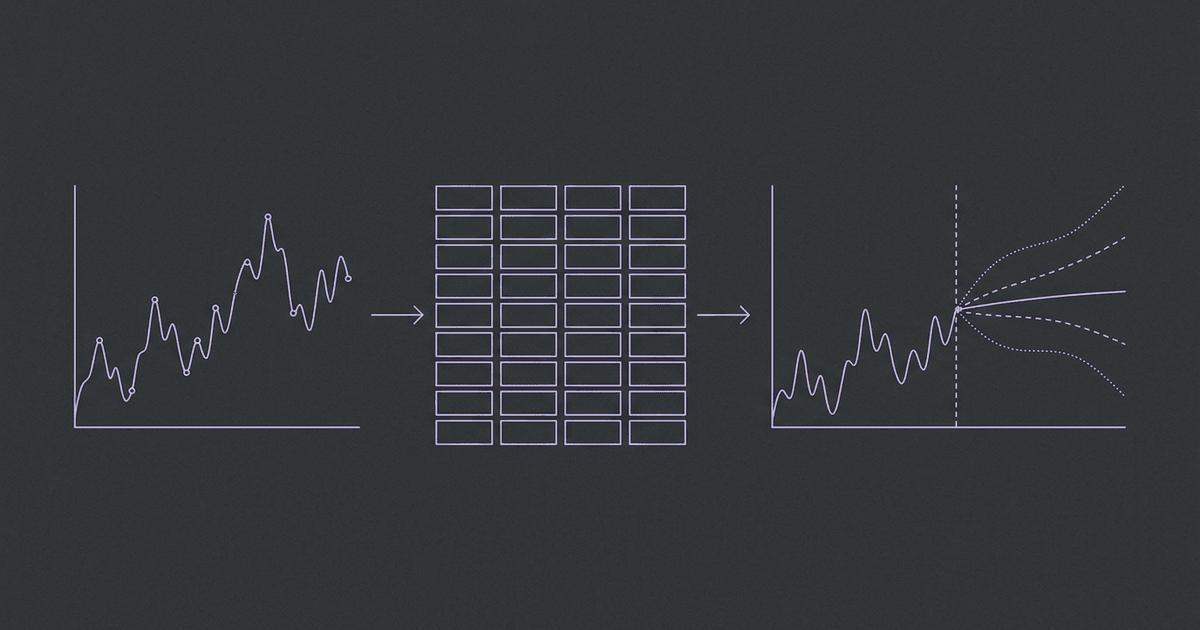
A useful mental picture is a chain: observed series, temporal feature construction, tabular regression, then forecast reconstruction. The checkpoint is one component in that chain. Changing feature generation or the evaluation split can matter just as much as changing the checkpoint.
#The Time-Series Adapter's Defaults Matter
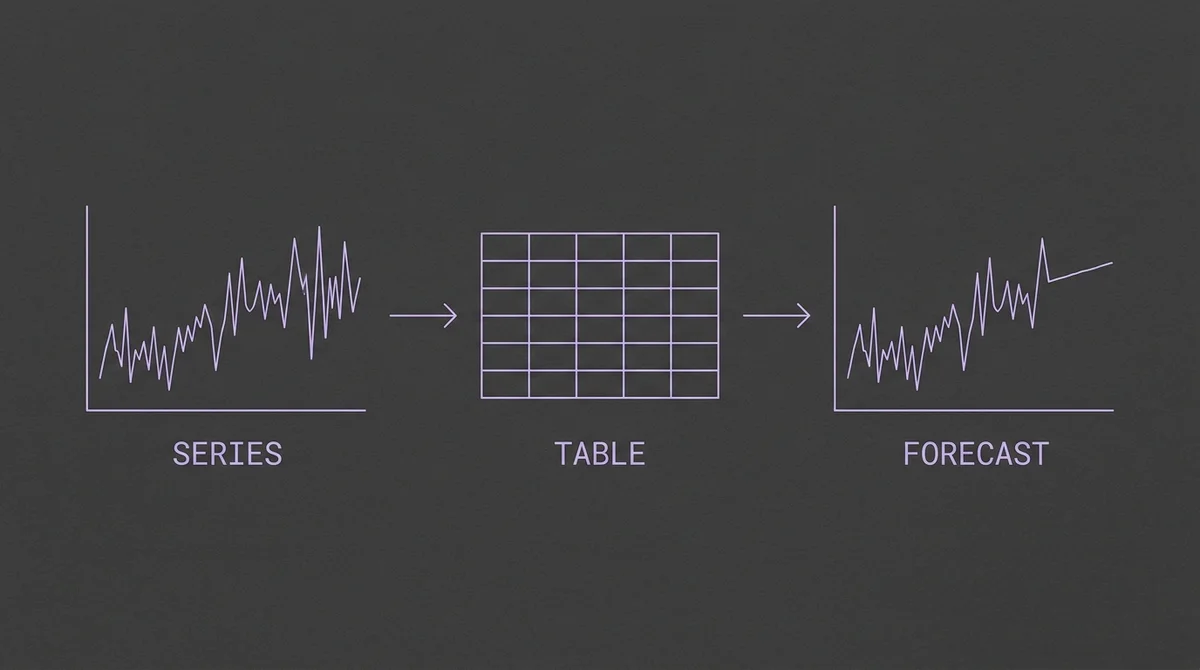
The adapter defines how a sequence becomes a prediction table.
The first-party TabPFN time-series adapter provides the forecasting interface. Its version 1.3.0 changelog moves both local and client defaults to TabPFN-3.5 and raises the required package versions. This is an adapter migration as well as a model-family release.
That default change deserves attention in an existing deployment. A dependency update can change the selected model even when application code continues to call the same pipeline. Forecasts may then differ because of checkpoint selection, runtime behavior, or both.
| Part of the system | Record it explicitly |
|---|---|
| Adapter | Package version and feature configuration |
| Model | Exact family, variant, and checkpoint |
| Execution | Local runtime or managed client |
| Data | Cutoff timestamps and available covariate vintages |
| Evaluation | Windows, horizons, metrics, and baseline |
Pinning these fields makes a result interpretable. It also helps distinguish a true modeling improvement from a changed default. If a backtest gets better after an upgrade, keep the old configuration available long enough to reproduce the difference under identical windows.
For an existing TabPFN-TS application, inspect the selected checkpoint before comparing numbers. A previous result associated with a time-series-specific checkpoint should not be relabeled as a TabPFN-3.5 result merely because the package name stayed the same.
#Which Covariates Reach the Forecast?
The adapter's input support is important because its approach differs from models that jointly process multiple target series. The README documents the current handling of target and covariate inputs.
| Input | Adapter behavior |
|---|---|
| Multiple target series | Decomposed into independent univariate forecasting tasks |
| Known-future dynamic covariates | Supported through future inputs |
| Historical-only dynamic covariates | Currently dropped |
| Static covariates | Currently dropped |
| Calendar and seasonal features | Automatically engineered by the pipeline |
This is a concrete reason to evaluate the interface before selecting a model. A warehouse may contain dozens of useful columns, but their presence in the application does not mean the forecasting adapter consumes them.
Suppose a retailer forecasts several stores. Independent target forecasts can still be useful, especially when each store has a stable seasonal pattern. They do not automatically capture interactions between stores or substitute products. If those interactions drive the decision, compare against a model with native joint target handling.
Known-future inputs have a different role. Opening schedules and planned promotions can be supplied over the forecast horizon when they are genuinely known. Their usefulness depends on whether the evaluation reconstructs what was available at the issuance time.
Historical-only sensor measurements need separate care. If the adapter drops them, adding those columns does not create the multivariate experiment a practitioner might expect. Confirm the effective input table, rather than inferring support from a broad statement that the underlying model handles tabular data.
Our covariate guide covers the availability distinction. The release gives another reason to make that distinction visible in experiment configuration and product documentation.
#Tabular Results and Forecasting Results Answer Different Questions
The launch report's tabular benchmarks measure prediction over structured datasets. A time-series benchmark introduces a chronological decision boundary, a horizon, and often seasonal scaling or probabilistic scoring. A strong result in one setting motivates investigation in the other, but does not replace it.
The earlier TabPFN-v2 forecasting paper establishes the method's forecasting provenance. Its results belong to the model and configuration studied there. They are not automatically measurements of the 3.5 checkpoint.
The same rule applies to a leaderboard entry labeled TabPFN-TS. Before comparing it with a new release, check the exact checkpoint, adapter version, feature construction, and inference settings. If those details are missing, treat the entry as evidence about a particular published system rather than every subsequent member of the family.
Our benchmark directory collects several evaluation suites because no single table captures all these choices. Aggregate ranks help narrow a shortlist. Task-level results and a reproducible application backtest decide whether an upgrade is useful.
For a local evaluation, preserve the chronological split. Construct features without access to future target values. Fit any data-dependent transformations using only the permitted context. Repeat that process at every issuance timestamp, rather than building one convenient table using the full dataset.
Also examine performance by horizon. A gain near the next observation may disappear farther out. If the application schedules inventory or staffing several periods ahead, those distant periods deserve their own analysis.
#Execution Options for the Release
Prior Labs' release describes several managed paths, including its API, SAP AI Core, and AWS SageMaker offerings. Those options refer to specific variants and provider arrangements. A downloadable base checkpoint and a managed Thinking system should be evaluated as distinct execution configurations.
The SAP announcement documents the Plus integration for SAP AI Core. For a team already operating there, the integration may fit existing identity and application workflows. Other teams may prefer the direct provider client or a licensed local setup.
The time-series adapter's default cloud client is another practical detail. Calling a Python forecasting pipeline does not necessarily mean inference happens on the caller's machine. Select the execution mode deliberately and confirm which model the remote request uses.
Local execution also does not establish browser support. A Python package running on a workstation is different from a portable graph running through WASM or WebGPU. Browser execution needs compatible operators, manageable downloads, numerical validation, and a complete preprocessing and output contract.
TSFM.ai's catalog links to upstream and provider options. Its browser playground exposes models with a validated browser runtime. TabPFN-3.5 should not receive a browser availability claim solely because its weights can be downloaded.
#Check the Weight License Separately From the Code
The downloadable weights use the TabPFN-3.5 model license, with non-commercial and non-production restrictions. Commercial use and hosted model services require the appropriate separate rights. A permissive software package license does not remove those checkpoint restrictions.
That distinction affects execution planning. An experiment with downloaded weights, a commercial application using a managed API, and a service exposing inference to other users can have different terms. Check the selected route before designing the application around it.
Our execution-boundary licensing guide explains why a directory should distinguish model availability from permission to operate a service. For this release, a provider link can be useful without implying that every deployment route shares the same rights.
#A Practical Upgrade Evaluation
Start by recording the current adapter and checkpoint. Save forecasts from representative windows, including difficult periods and missing-data cases. Then run the new configuration against those same inputs and horizons.
Keep target-only and covariate experiments separate. Confirm that the effective table includes the features intended for each experiment. Compare against a seasonal baseline and the previous checkpoint, using identical scoring code. Record execution time and request behavior alongside prediction quality.
Inspect uncertainty as well as point error where the selected pipeline exposes probabilistic outputs. Check calibration across periods with different demand levels and variability. A forecast can have an attractive average error while giving an operator misleading confidence at the times that matter most.
Finally, choose the execution path after identifying the model configuration worth deploying. The release expands the available tabular foundation model options, and the adapter brings those changes into forecasting. The strongest upgrade case is a measured improvement under the application's actual information and runtime constraints.